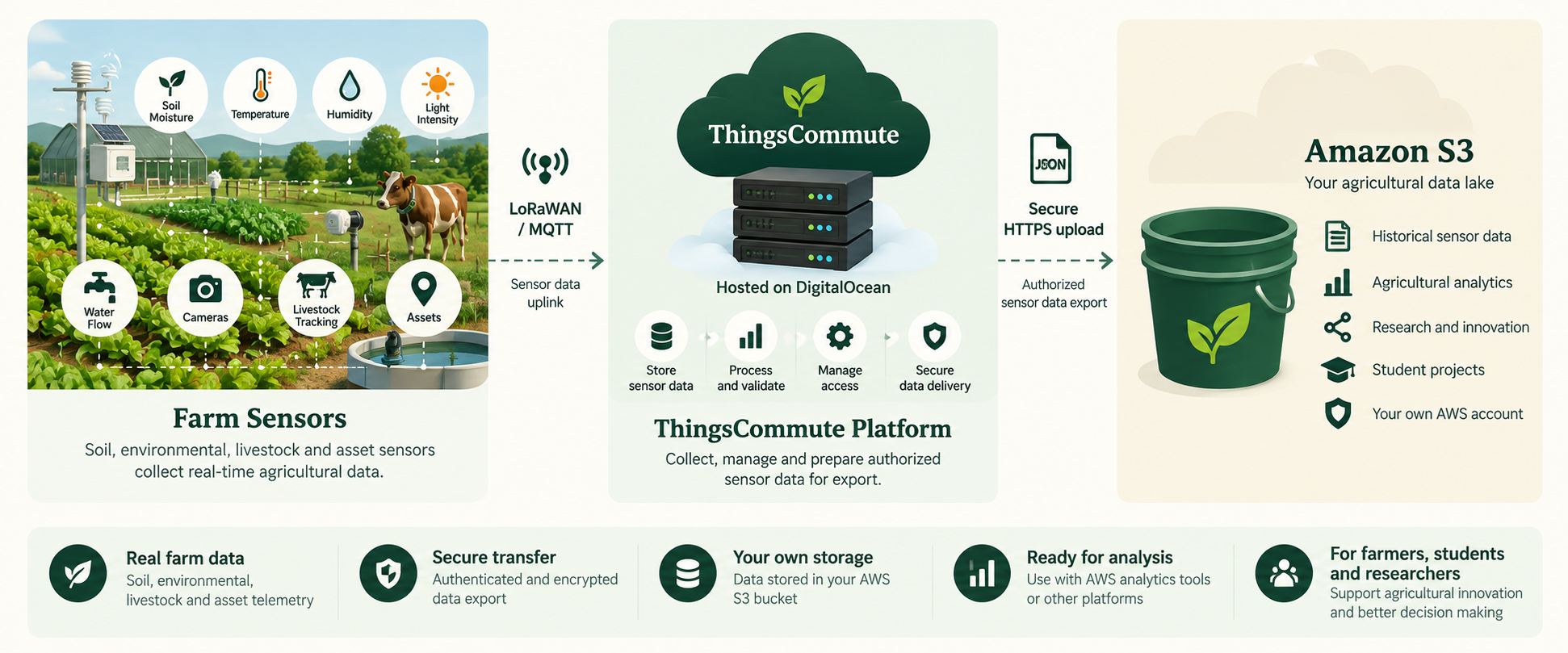
These workflows are not available yet. This page does not generate bucket policies, authorize AWS accounts, upload sensor data or deploy CloudFormation stacks.
01
Standard · Coming Soon
Connect Your S3 Data Lake
A possible approach for teams with an existing Amazon S3 bucket. Any future sensor data transfer would require an agreed purpose, limited access and a reviewed bucket policy.
Prerequisites to plan for
An AWS account and a customer-owned S3 bucket in an agreed region.
A bucket owner or administrator authorized to review and manage its bucket policy.
Agreement on which sensor data to share, its file format, destination folder and how long it should be kept.
A security review to define any transfer identity and the access it would need.
Potential future setup steps
Confirm which sensor data should be shared, when it should be sent and where it should go.
Review planned access and written setup instructions before changing permissions.
Have the authorized bucket owner apply approved access settings in AWS.
Test a limited data transfer and agree how to monitor and stop access.
02
Advanced · Coming Soon
Automated AWS Integration
A potential guided setup using AWS CloudFormation. No template is currently offered, and this website does not create stacks.
Prerequisites to plan for
An AWS account with authority to review and deploy CloudFormation stacks.
An agreed S3 destination, AWS region and data-retention approach.
Organizational approval for any IAM roles, policies and resources a future template may request.
A technical owner available to review the proposed architecture, costs and security impact.
Potential future setup steps
Agree the integration scope and document every resource a proposed stack would create.
Review the template, permissions, costs and removal procedure before deployment.
Have an authorized customer administrator deploy the approved stack in their AWS account.
Verify the configured destination and test the agreed data flow before broader use.